Every marketing platform in 2026 wants to sell you on “autonomous marketing” and “AI agents.” After a while it all starts to sound like vocabulary inflation, the same automation we've had for years dressed up in shinier language. I wanted to see whether anything was actually different inside a real platform, so I signed up for the ActiveCampaign trial. No credit card required, 14 days, just an email and a URL to get started. That low-friction entry was the first nice surprise.
Disclosure: this article contains affiliate links. If you sign up through them I may earn a small commission at no extra cost to you.
2026 update: what Active Intelligence 3.0: Wavelength adds to this test
When I ran this trial, the value was already clear: ActiveCampaign could read a real site, infer enough context to propose a welcome sequence, and turn one fairly normal prompt into a functioning automation. That was a big step beyond a blank email template. But it still began with me deciding what to ask for.
The current named release, Active Intelligence 3.0: Wavelength, changes the interesting part of that story. The stated direction is proactive account intelligence: instead of only responding once a marketer opens a chat and types a request, ActiveCampaign can use account history, instructions, automation context, performance signals, and relevant outside context to surface useful work earlier. That is a more ambitious claim, so it deserves a more careful test than “the first draft looked good.”
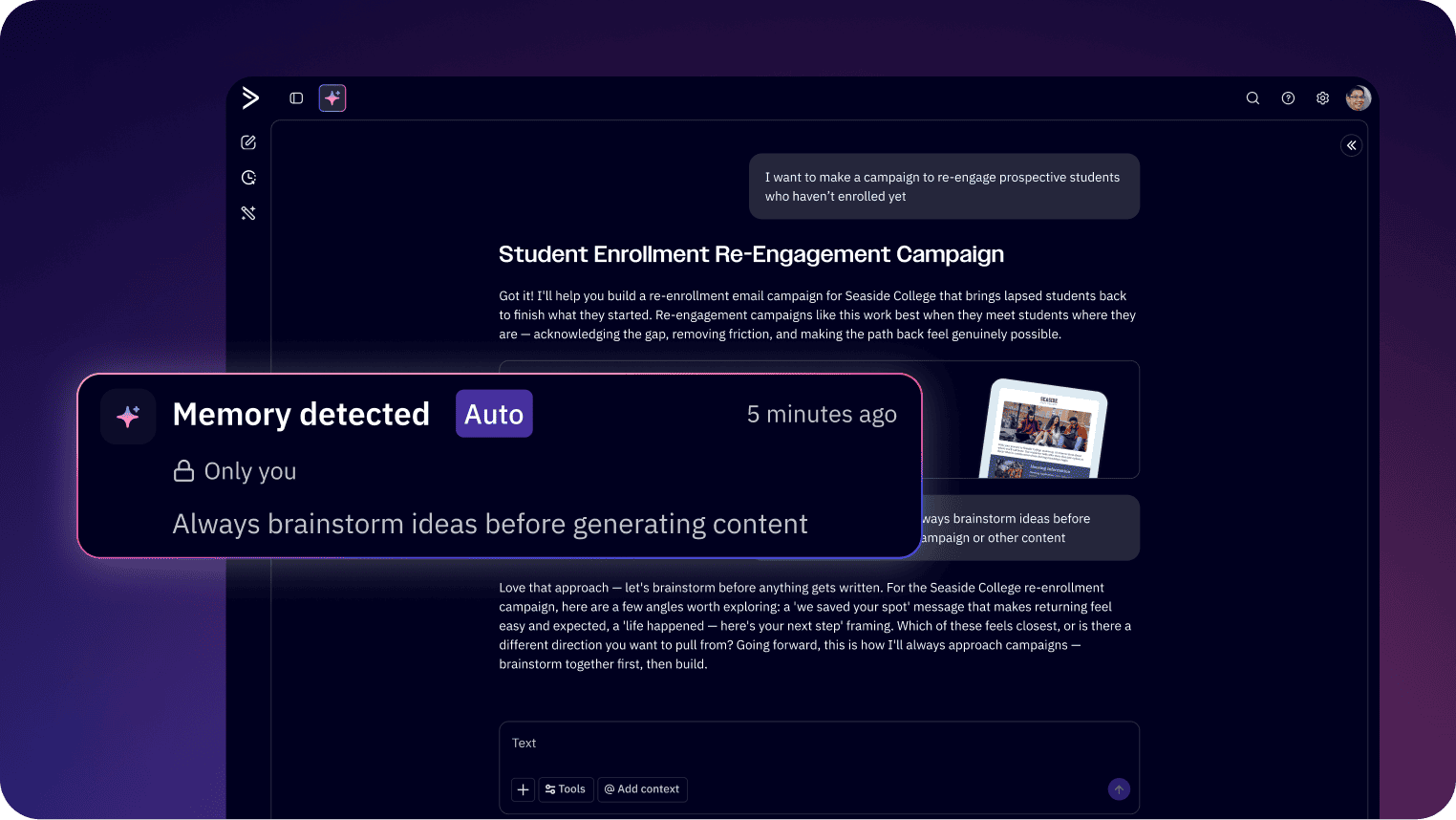
Adaptive memory: less re-explaining, more useful starting points
The original BFI welcome sequence worked because I gave the platform a real URL and it was able to infer a real business context. Adaptive memory is the logical next layer. A marketing assistant should not need the brand, audience, offer, and previous feedback pasted back into every session. When the context is accurate, the value is not that the AI sounds clever. It is that a new draft starts closer to the way the business already communicates.
There is a responsibility on the marketer here. Memory is only an advantage if the account is current. Old offers, dead campaigns, and vague instructions should not quietly become the source material for a new campaign. A sensible workflow includes checking what the system is working from, not treating remembered context as automatically correct.
Proactive drafts and ideas: a better answer to the blank-page problem
In the original trial, I told the agent to build a welcome automation and it did. Wavelength is meant to appear earlier in the chain, with proactive drafts and ideas informed by the account. That could mean a campaign starting point worth reviewing, not merely a response after the task has already been fully specified.
That is helpful if it reduces the blank-page problem without turning into background noise. The test is practical: does the suggestion reflect a real audience, a real offer, and a real next step? If it does, the marketer can spend time improving the message. If it is generic, it is still just a polished placeholder.
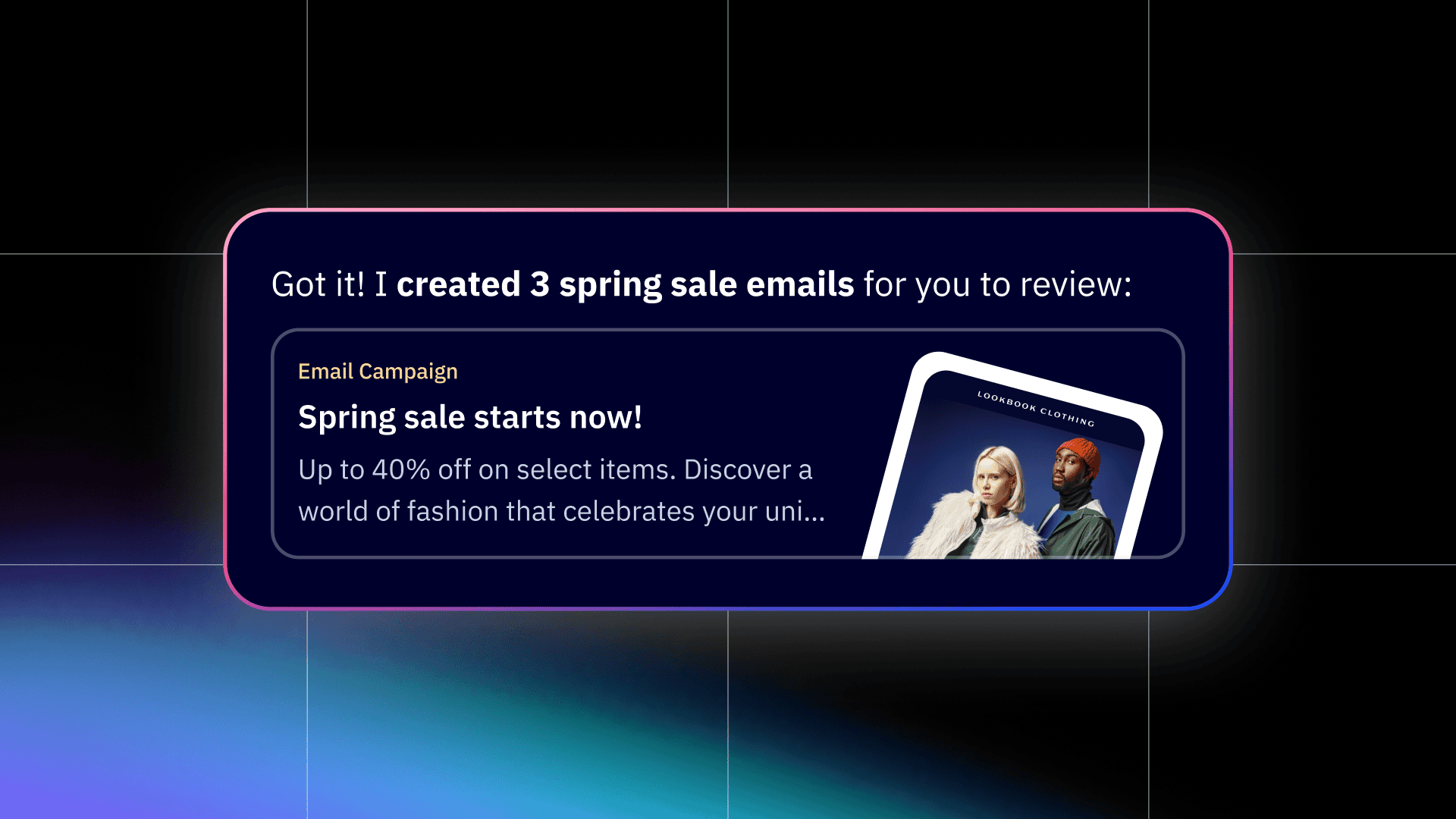
Automation Insights and Automation Health: autonomous marketing needs maintenance
A live automation can be both technically functional and commercially stale. The welcome sequence I built is only useful while the content, calls to action, and audience logic continue to make sense. Wavelength lists Automation Insights and Automation Health as named capabilities. I see the promise here as early attention, not blind automation: surface a workflow that needs a human look before it becomes one of those quiet problems nobody notices for a quarter.
For a small business, that could be more valuable than another pile of generated copy. A team with limited time needs help deciding where to look. It still needs a person to decide what to change and whether a message deserves to be sent.
External signals and content performance: context should make marketing more selective
Wavelength also includes External signals and Content performance. These should not become an excuse to chase every headline or competitor move. The better use is selective: give a marketer more relevant context when choosing whether to refresh a page, create a campaign, or leave an idea alone. The output should connect to a customer need or business objective, not simply create activity.
My updated verdict
The hands-on trial still matters because it showed that ActiveCampaign could get from a real website to a usable automation and a correctly rendered test email. Active Intelligence 3.0: Wavelength makes the proposition more interesting because it attempts to use the accumulated account context before the human has done all the task-scoping work. That is the direction I want from autonomous marketing: fewer generic prompts, more relevant starting points, and a human still responsible for the final decision.
Capability availability can vary by account and plan, so check what is live in your own dashboard before basing a process on a specific feature. The sensible first test is still small: use your real business context, inspect one proactive recommendation or workflow insight, create a draft, and review it as carefully as you would any message sent to real people.
Active Intelligence reads your site and proposes a strategy
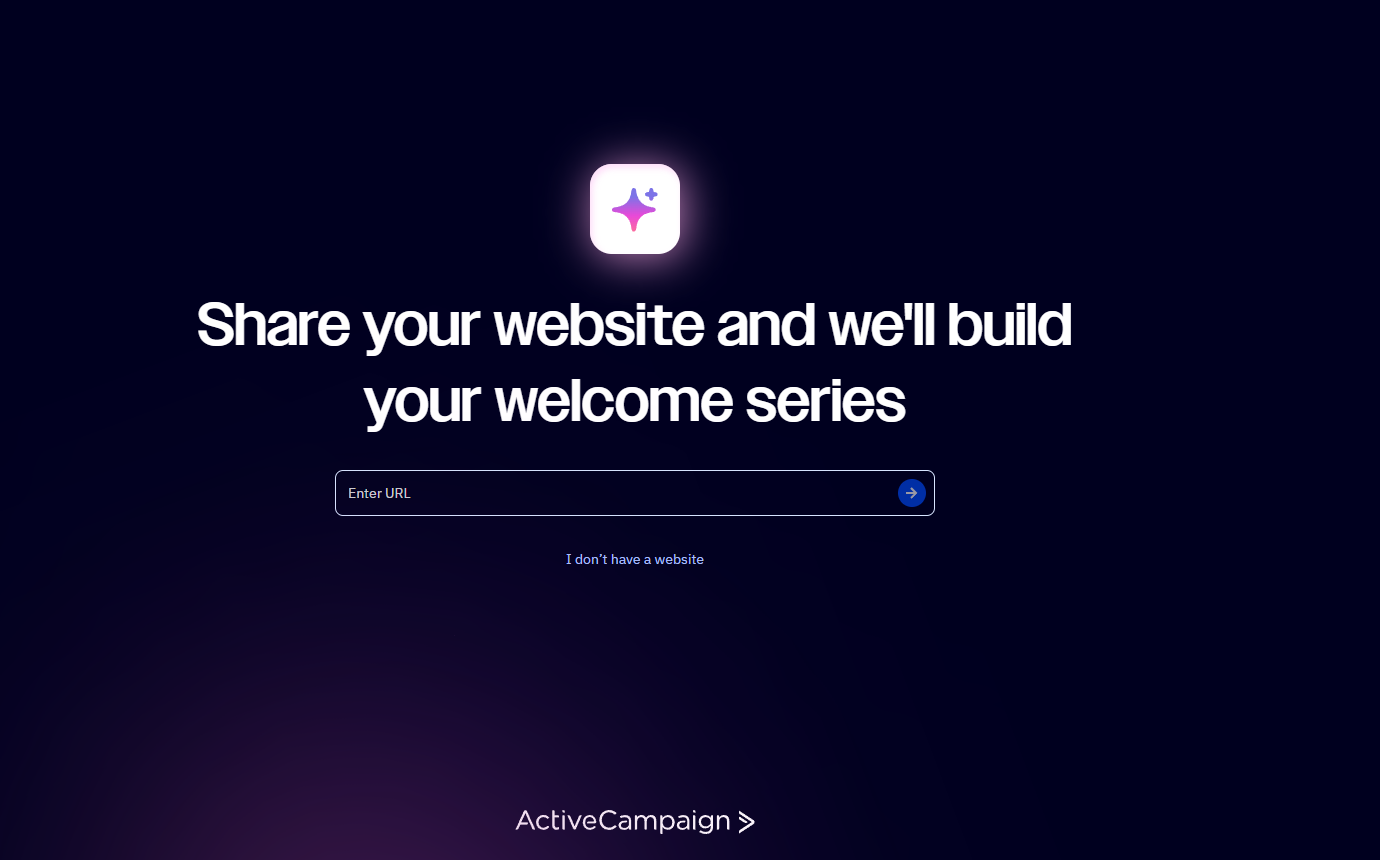
The first thing ActiveCampaign asks for is your website URL. I pasted in buildforincome.com and watched it work, no further setup needed. Within about thirty seconds it had analyzed the site, grabbed the logo, extracted brand colors, and figured out what I write about.
What came next was the moment that made me pay attention. ActiveCampaign produced a “personalized marketing strategy” page with a “Here's what we know” card that correctly identified me as a blogger/author with under 500 contacts, and then proposed a complete 14-day welcome sequence tailored to BFI's content. Not a generic five-email template. A specific sequence that referenced the kind of automated-income guides I actually publish, with subject lines like “Your First Step: Choosing the Right Tools” and “Email Marketing Automation That Works.”
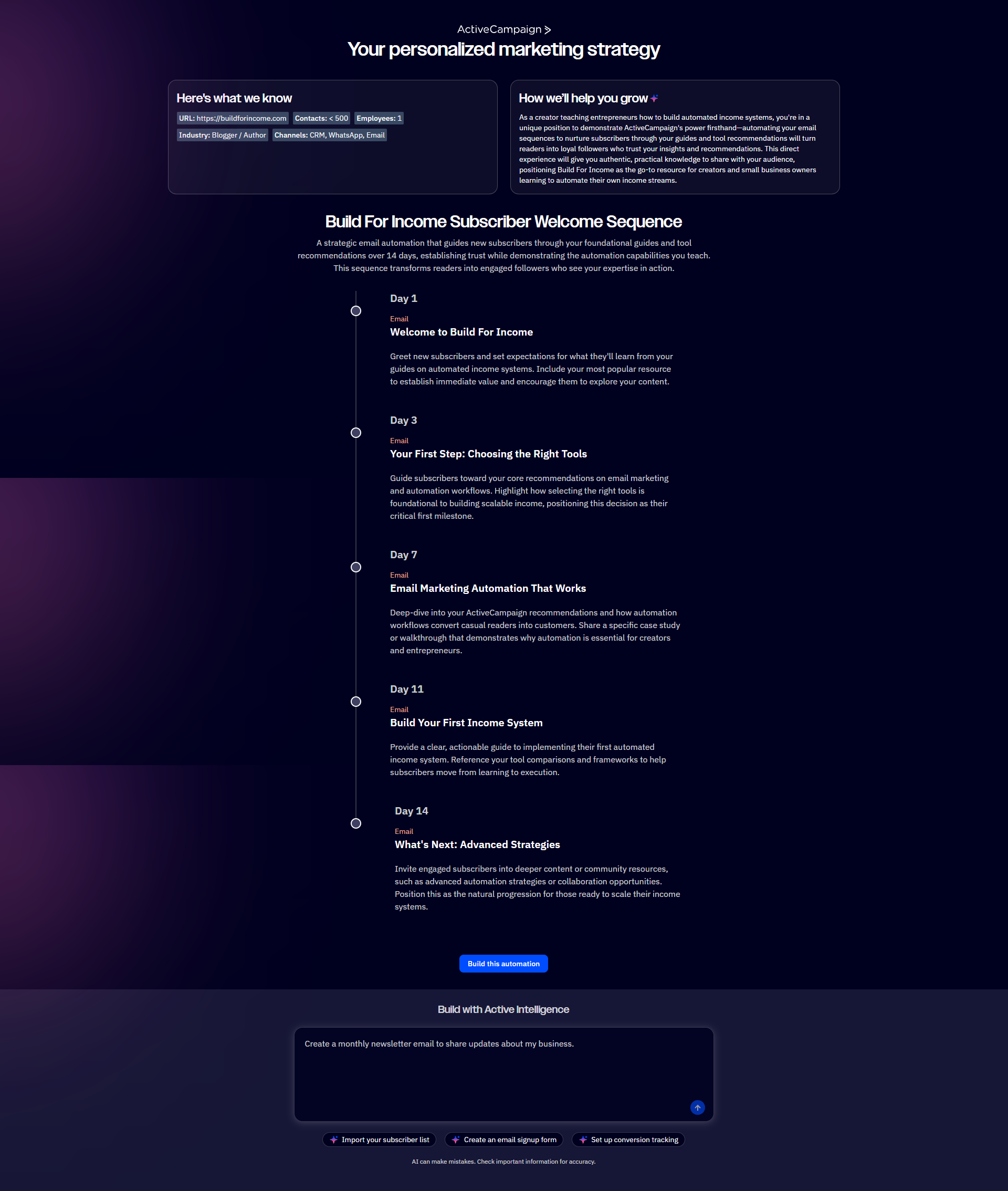
This is what Active Intelligence actually does: read your site, infer your business and audience, and propose specific artifacts you'd otherwise spend hours scoping yourself. The strategy is the brain layer. On its own it's just a proposal, which is where the next layer comes in.
An AI Agent builds the automation from one prompt
I asked ActiveCampaign to actually build the proposed sequence as a working automation. The interface for this is a chat box that feels like ChatGPT or Claude. I typed one paragraph describing what I wanted, listing out each day's email subject, and hit send.
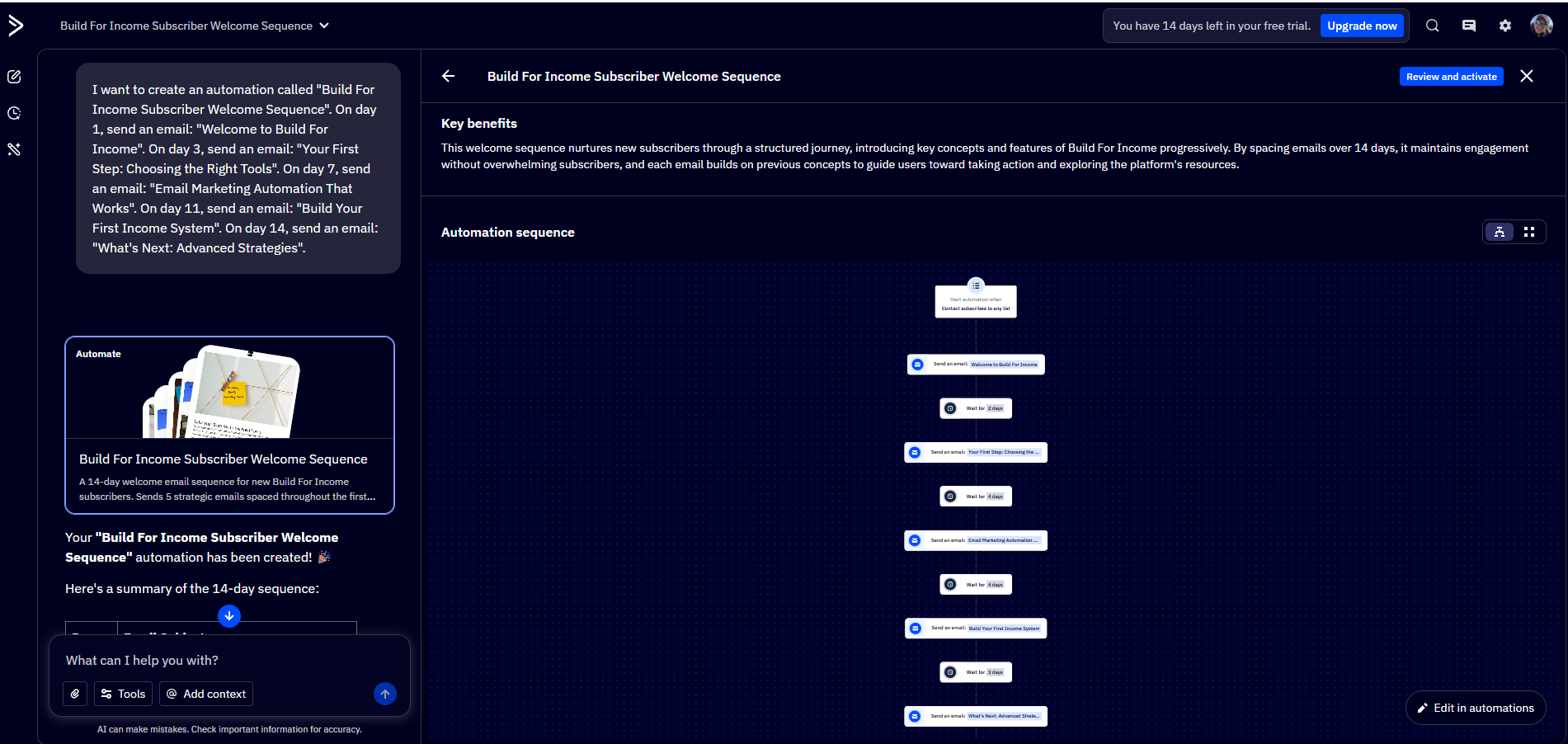
The whole automation was built in about five to six minutes. The output was a visual flow diagram with the trigger (“contact subscribes to any list”), all five email sends, and the wait intervals between them, every node wired up and ready to activate.
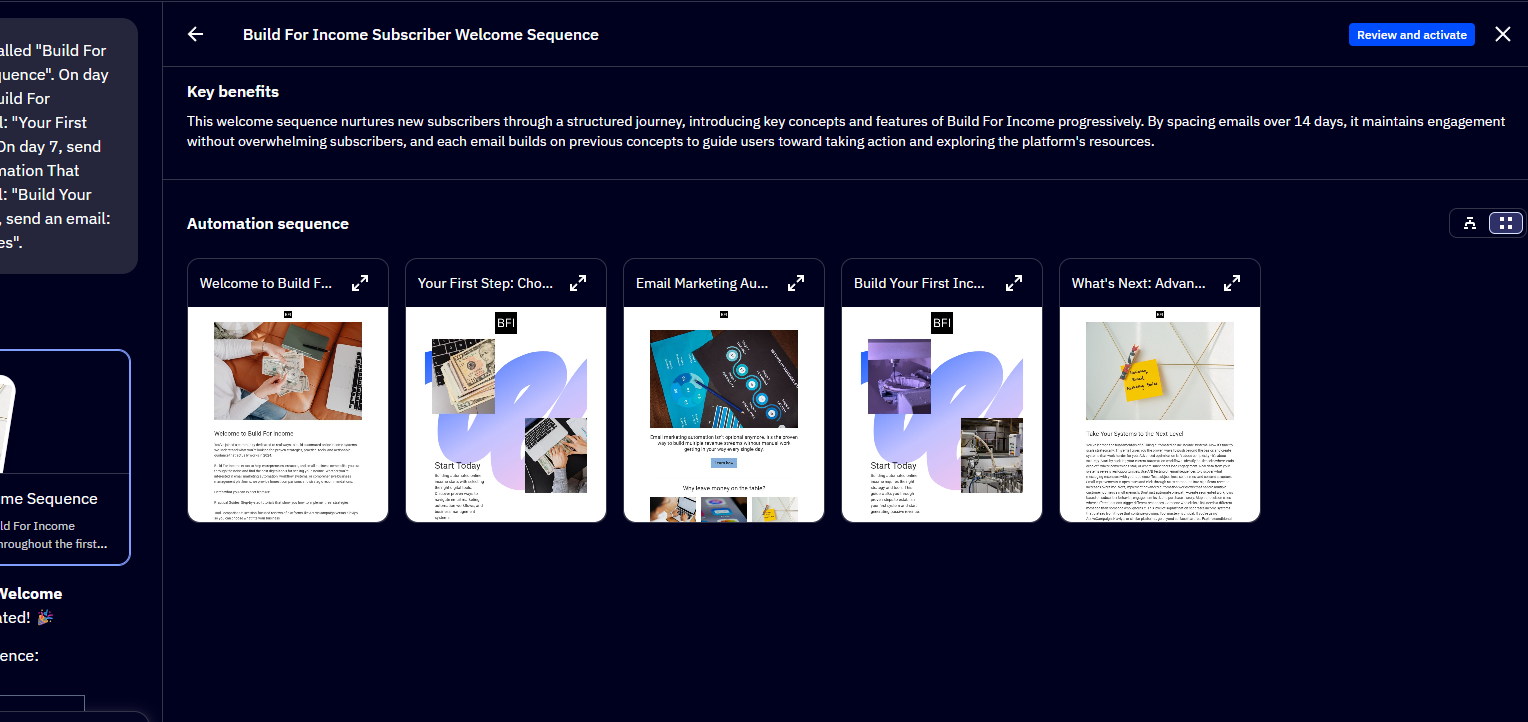
The AI Agent didn't stop at the structure. It also drafted the actual email copy for all five emails, picked appropriate hero images for each, and laid them out as preview cards I could click into individually.
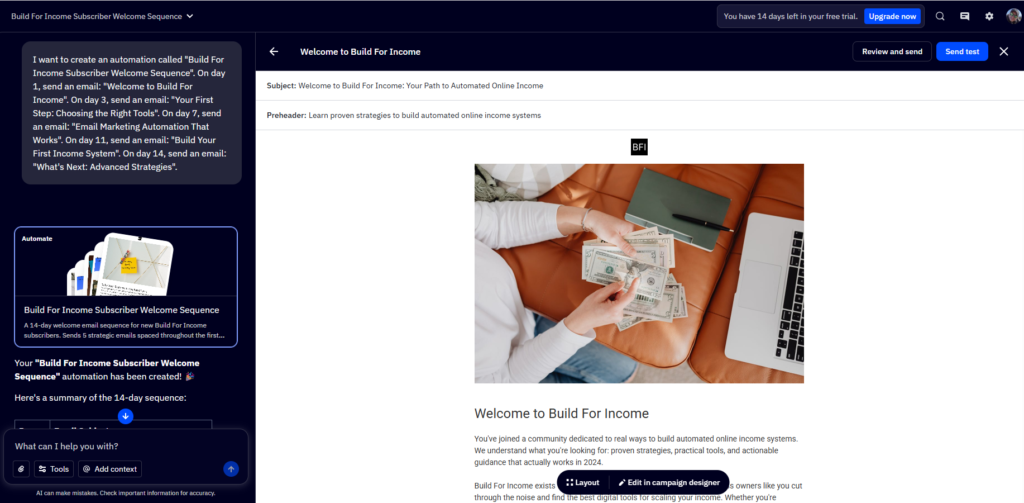
The copy was good enough that I didn't feel the need to rewrite it. You can edit any of it if you want, of course, but the baseline was usable, not the kind of obviously-AI placeholder text that needs a full rewrite before you could send it.
The thing I appreciated most about this whole flow is that you're not locked into the prompt-driven workflow. You can drive everything by prompt, OR you can go full manual using the visual editor, OR you can mix the two. The agent does the boring scaffolding work, and you take over for whatever you actually care about. That's the right ergonomics, and it's where ActiveCampaign feels more thoughtful than the all-or-nothing AI tools.
The test send: proof it isn't smoke and mirrors
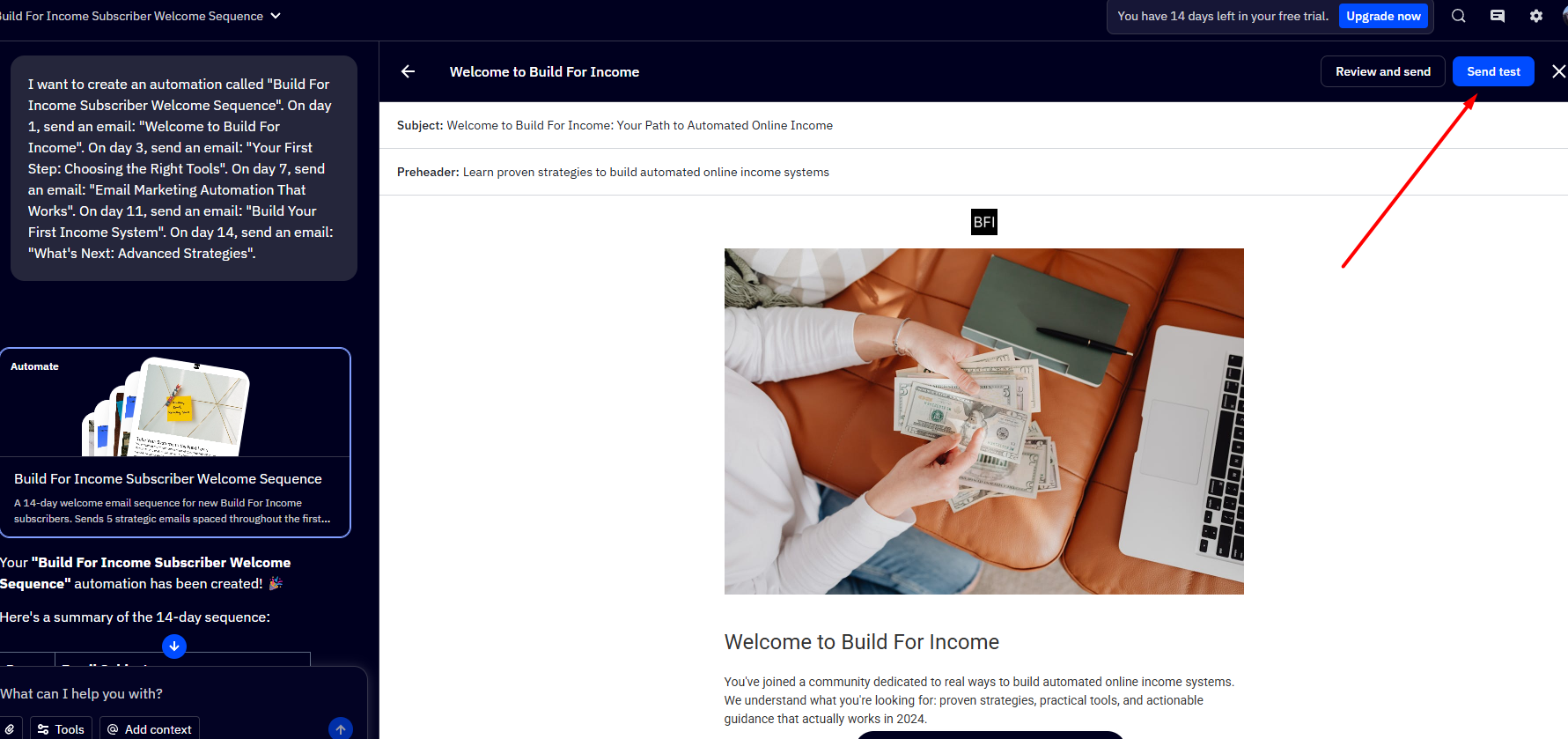
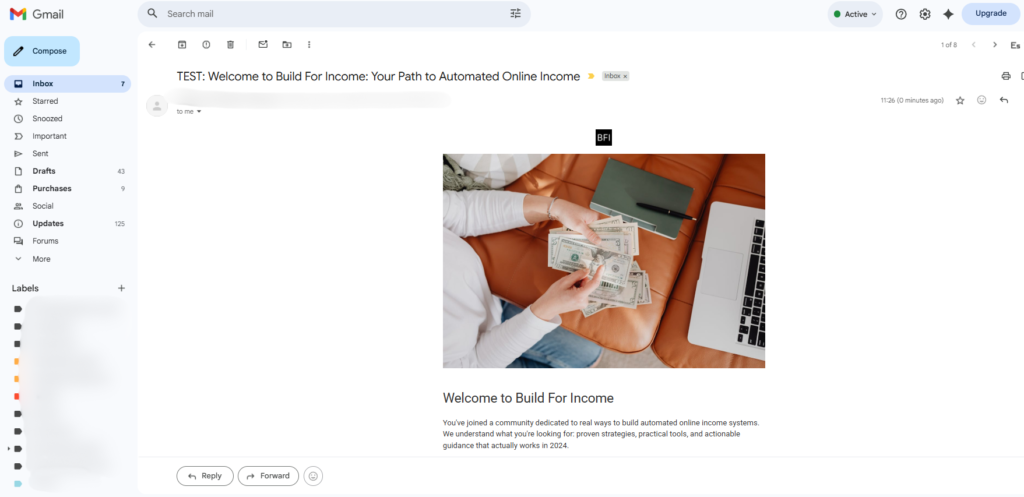
There's a tipping point in any AI-generated-content experiment where you have to actually send the thing to confirm it works in real inboxes. ActiveCampaign puts a “Send test” button on every email. I sent the welcome email to my own Gmail and roughly thirty seconds later it landed clean: BFI logo at the top, hero image rendering correctly, formatted body copy, no CSS weirdness, no broken layout.
This sounds like a small thing. It isn't. The pitch of “the AI built your emails” completely falls apart if the output renders broken in actual inboxes. AC's didn't. The pipeline from prompt to working email in my own inbox took less than ten minutes total.
Same prompt pattern, a working signup form
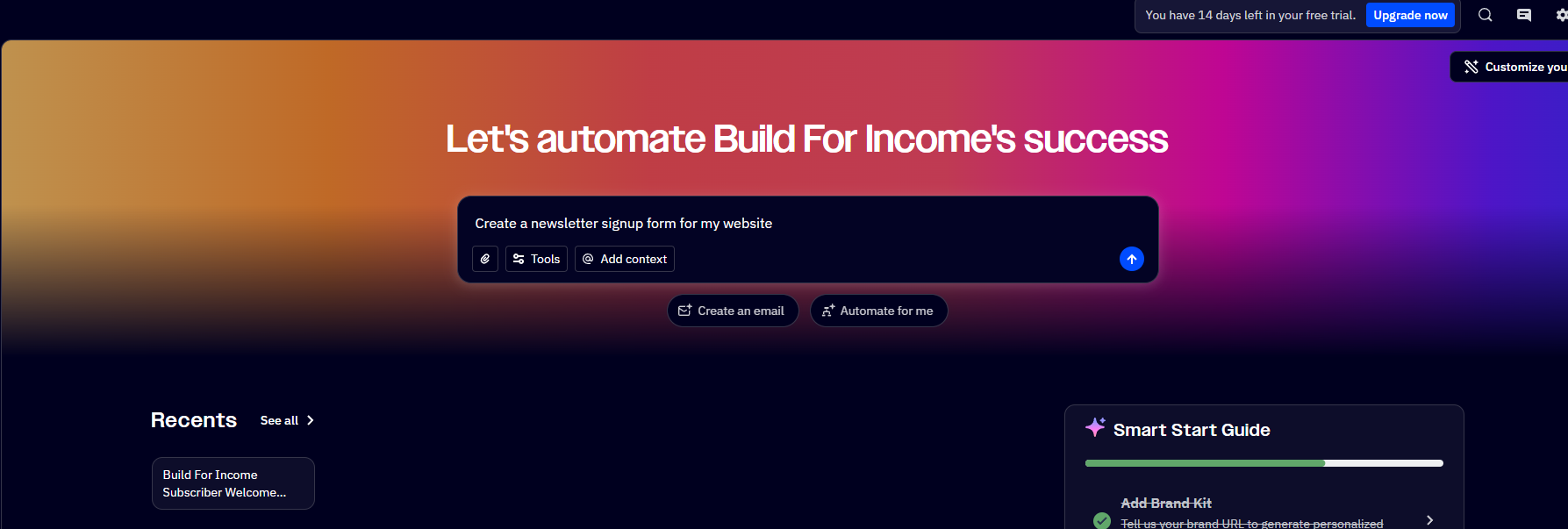
To make sure the prompt-driven workflow wasn't a one-off lucky outcome, I tried another use case. From the dashboard, I typed “Create a newsletter signup form for my website.” The same agent pattern fired. ActiveCampaign generated a styled, branded form with First Name and Email fields, a custom headline that referenced the marketing strategy it had already inferred from BFI, and supporting subtext that actually fit the brand.
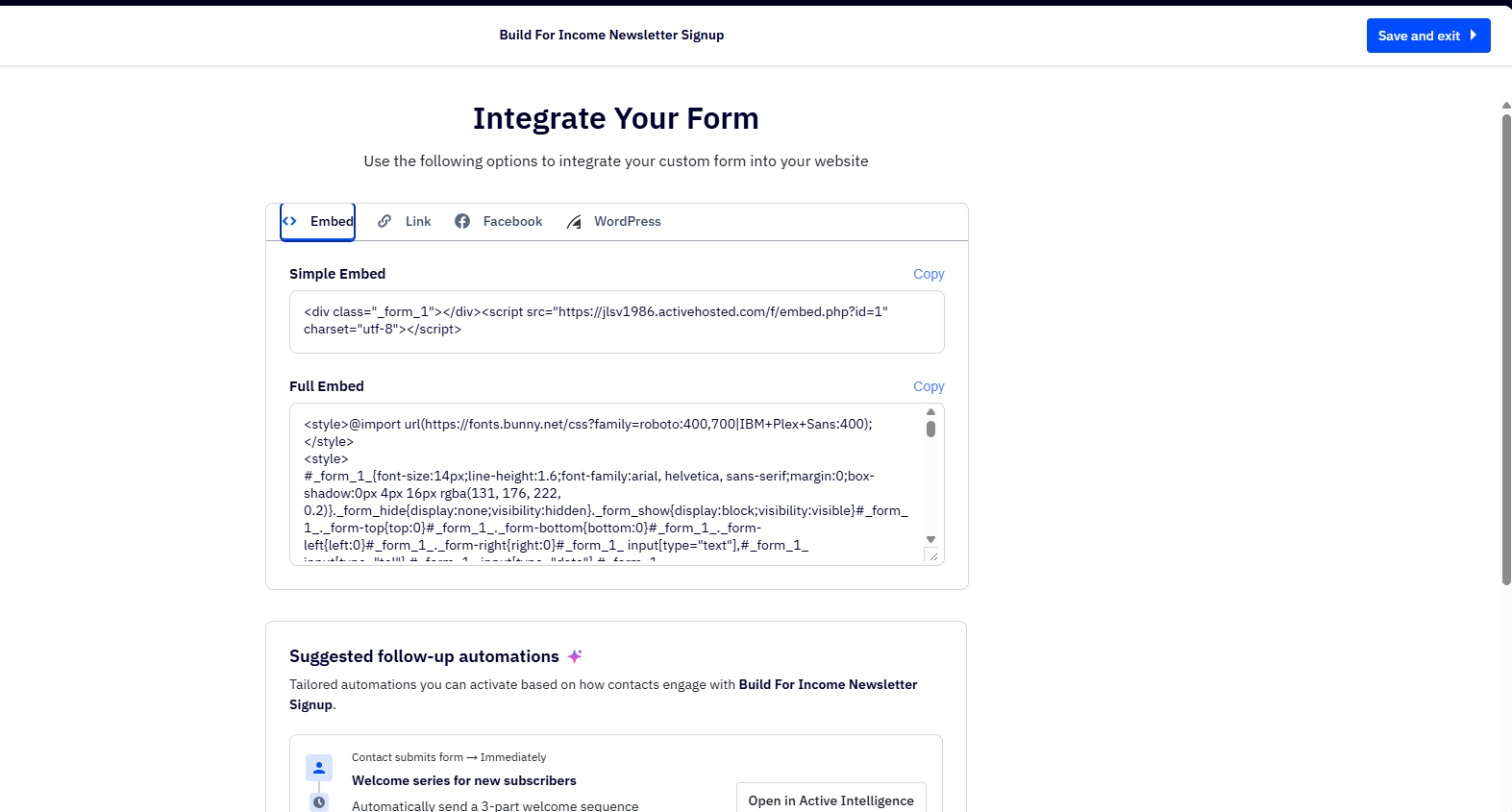
The form ships with three integration options: a hosted link, an embed snippet, or a WordPress plugin. The WordPress plugin was effortless (paste your API key, paste the site URL, the form auto-appears). The embed snippet assumes you're comfortable pasting HTML into your site. Both work.
Where it's still rough
A few honest frictions to flag, because no platform is perfect and the contest brief asks for honesty:
There's no proper first-time wizard guiding you through what to do next. Once Active Intelligence built the strategy and the AI Agent shipped the automation, I was looking at the dashboard wondering, “OK, what should I do now?” The chat interface helps if you know to use it, but it's not the same as a guided onboarding flow for someone genuinely new to email marketing. The platform assumes a baseline level of comfort with concepts like automations, contact tags, and segments.
The newsletter form integration documentation is also a bit light for non-technical users. WordPress users have it easy thanks to the plugin. Static-site owners or anyone else needs to paste an HTML snippet, which assumes you can edit your own site code. And one thing genuinely missing: there's no popup-overlay behavior built into the form by default. Mailchimp ships that out of the box. With ActiveCampaign you get the form HTML and have to wire up your own popup logic if that's what you want.
Neither of these is a dealbreaker, but they're worth knowing before you switch.
Who this is actually for
The sweet spot is solo founders, content creators, and small SaaS marketers running a real list, somewhere in the low-thousands of contacts, who already spend time tweaking automations and feel that effort isn't compounding. If you're a beginner without much of a list yet, the agent flow makes setup easier than it's ever been, and you can grow into the more advanced features as your list grows. But the real magic of Active Intelligence (reasoning over your actual data) only kicks in once you have signal for it to work with.
Probably not the right fit for hobby bloggers with under a hundred subscribers (overkill for the volume) or enterprise teams that want deep manual control over every routing rule (you might find the autonomous decisions a bit opaque for that level of oversight).
How to start the trial without wasting it
Three steps that produce something useful inside the first hour:
- Start the trial. No credit card needed, fourteen days. Paste your real site URL when prompted, not a dummy. The whole point of Active Intelligence is reading real signal, so giving it a real site is what unlocks the value.
- Watch what ActiveCampaign proposes as your welcome sequence. Even if you don't deploy it, the proposal is a useful read on what AC inferred about your audience.
- Send yourself a test of the first email before trusting it with real subscribers. Confirms the rendering pipeline works end to end.
If those three steps deliver something you'd actually use, you'll know within an hour whether the rest of the platform is worth the upgrade decision. If they don't, you've lost an hour and a placeholder list.