Gumloop is a good BuildForIncome topic because it sits in the newer wave of AI workflow tools: no-code enough for business users, but aimed at real company processes rather than toy chat prompts.
This is not a hands-on Gumloop case study, and it is not a claim that AI agents will automatically create clients. The useful question is narrower: based on Gumloop's public pages and third-party directory signals, could a solo operator package no-code AI workflows as a paid automation service?
| Quick verdict | What to know |
|---|---|
| Best fit | Freelancers, operators and small agencies that can turn one messy business process into a reviewed workflow. |
| Money-making path | Sell workflow setup, reporting, lead-research support, admin automation, or monthly maintenance for small teams. |
| Main risk | AI workflows can create confident-looking errors, unexpected costs, or permission problems if nobody reviews the output. |
| Worth testing when | You can define one repeatable process, one owner, one review queue and one simple success metric. |
| Avoid when | The client wants magic AI employees, unattended decisions, guaranteed revenue, or automation before the process is understood. |
What Gumloop does
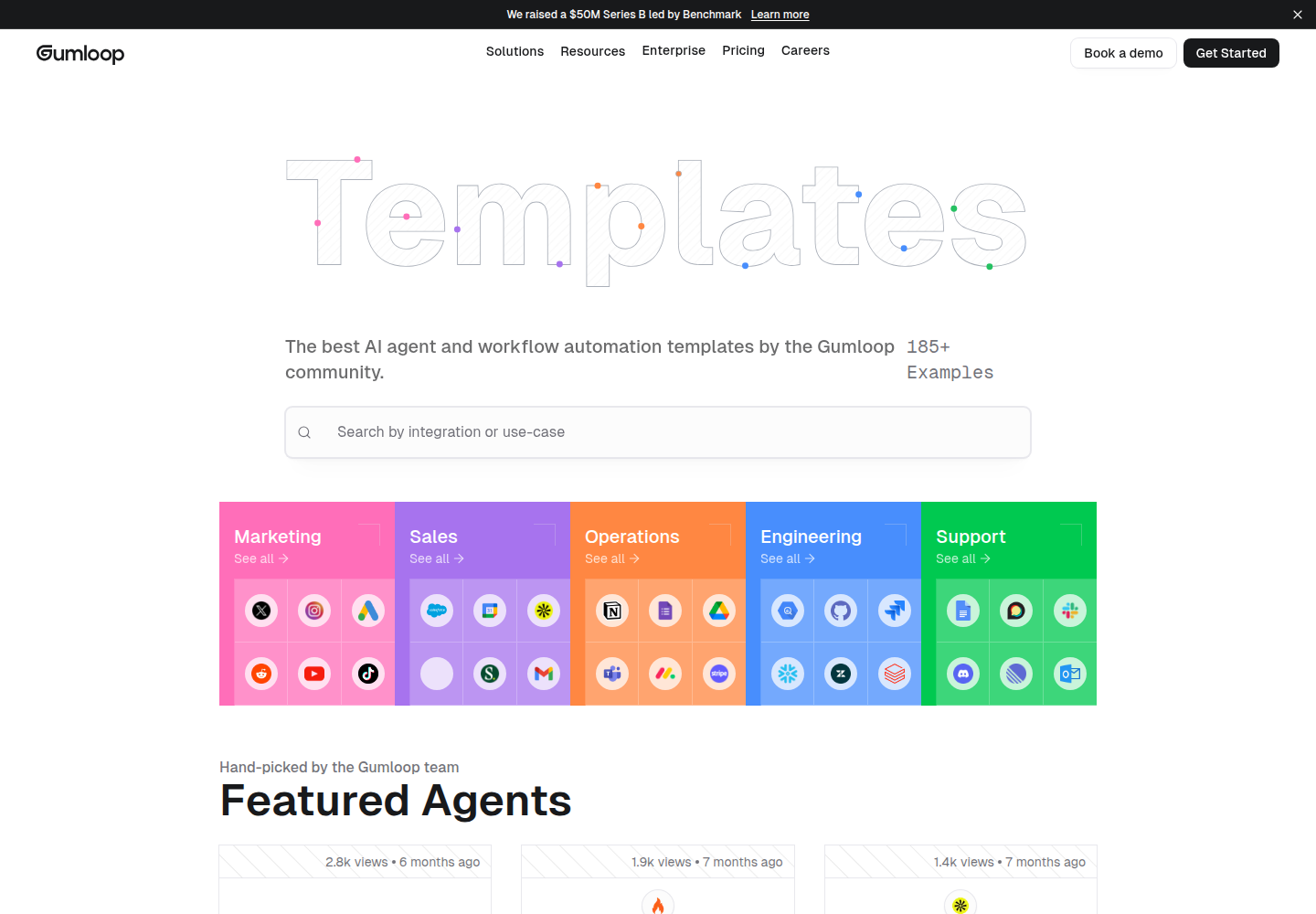
Gumloop publicly positions itself as a multiplayer AI agent builder for work. The homepage talks about building, sharing, optimizing and controlling agents, while the public templates page shows workflow categories for marketing, sales, operations, engineering and support.
That positioning matters. A useful automation service is rarely one giant chatbot. It is usually a series of smaller workflows: gather information, transform it, classify it, send it to the right place, and let a human approve anything risky.
Why this can become a service, not just a tool subscription
Small businesses often know which task is annoying, but they do not know how to turn it into a reliable process. That gap is where a practical operator can earn money: map the workflow, build the first version, add safeguards, and maintain it when the business changes.
| Service package | What you deliver | Why a client might pay |
|---|---|---|
| Lead-research assistant | Collect inputs, enrich context, summarize fit signals and send a shortlist to a review sheet. | The client gets better prep work before outreach. |
| Content-ops helper | Turn briefs, research notes or product inputs into drafts, checklists or handoff tasks. | The team spends less time moving information between tools. |
| Reporting workflow | Pull updates from sales, ads, support or website data and create a weekly summary. | Owners get a clearer operating rhythm without manual report building. |
| Admin triage agent | Classify forms, support requests, invoices or internal requests and route them to the right person. | The business reduces repetitive admin without removing approval. |
Where the templates angle helps
The public templates page is useful because it shows where Gumloop wants users to start: existing workflow patterns by department and use case. For a freelancer, templates can speed discovery, but they should not be sold as finished client work.
- Use templates to understand common workflow shapes, not to skip client discovery.
- Pick one department and one repeated task instead of promising full-company automation.
- Replace vague AI-agent talk with a concrete deliverable: a reviewed spreadsheet, a ticket, a report, a draft, or a CRM task.
- Add a failure path so bad or uncertain outputs go to a human rather than being pushed downstream.
Pricing and cost checks
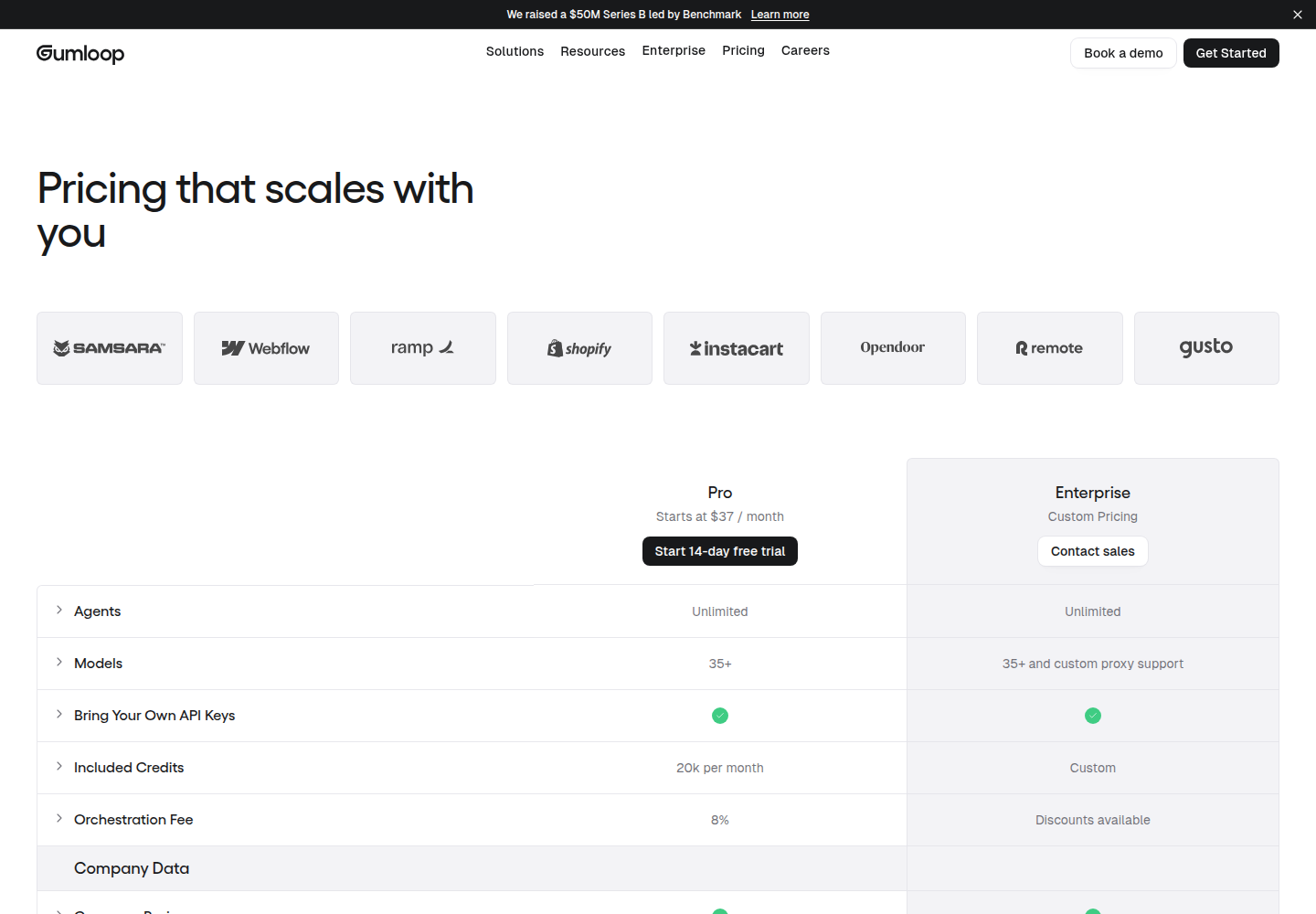
Gumloop's public pricing page includes plan, model, credit and orchestration details. Because pricing and limits can change, the safer article takeaway is not a fixed price. It is that you should check the current pricing page and test real workflow volume before selling a fixed monthly package.
| Cost area | What to check | How to protect margin |
|---|---|---|
| Workflow runs | How often the workflow runs and how many steps it triggers. | Start with a capped weekly batch. |
| AI model usage | Which model is used and whether outputs need retries. | Use the cheapest model that is good enough for the task. |
| Credits and fees | Included credits, overages, orchestration fees and team controls. | Price usage separately if the client changes volume. |
| Human review | How many outputs need manual checking before handoff. | Include review time in the service, not as invisible labor. |
A realistic first client workflow
The safest first project is deliberately small. Choose a process that is repetitive enough to benefit from automation but not so sensitive that an AI mistake can damage the business.
| Step | What to do | Decision rule |
|---|---|---|
| 1 | Pick one annoying workflow, such as weekly lead triage, support classification, research summarization or internal reporting. | If the process cannot be described in plain English, do not automate yet. |
| 2 | Build the first Gumloop workflow around inputs, transformations and a review handoff. | The output should land somewhere a human can approve it. |
| 3 | Run a small batch and mark every useful, wrong or uncertain output. | Repeated mistakes become rules, prompts or filters. |
| 4 | Add notifications or downstream tasks only after quality is acceptable. | Do not connect risky automation too early. |
| 5 | Turn the working workflow into a maintenance offer. | Recurring value comes from monitoring, fixes and iteration. |
Where Gumloop looks useful
- No-code AI workflow experiments where the client needs visible steps and fast iteration.
- Teams that want non-developers involved but still need IT-style control over access and operations.
- Service providers who can productize one workflow at a time instead of selling abstract AI transformation.
- Research, reporting, triage and handoff tasks where a human review step is easy to keep.
Where to be skeptical
- AI agents do not fix unclear processes. If the current workflow is chaos, automate the smallest stable piece first.
- No-code tools can still become expensive if every run calls multiple models, integrations or paid data sources.
- Sensitive data, customer messages, finance, legal, health and HR workflows need stricter permissions and review.
- A client may expect an AI employee when the actual deliverable is a workflow plus ongoing maintenance.
- No workflow platform can guarantee traffic, leads, booked calls, sales or revenue.
Gumloop vs n8n, Zapier Agents and Lindy
| Option | Better for | Main caution |
|---|---|---|
| Gumloop | No-code AI agent workflows, team templates and business-user experimentation. | Still needs review gates, cost caps and clear process ownership. |
| n8n | More technical workflow automation, deeper control and flexible integrations. | Usually needs more setup and maintenance skill. |
| Zapier Agents | People already living in Zapier who want simpler AI teammate experiments. | Can become too broad if each agent lacks a narrow job. |
| Lindy | AI teammate-style small-business tasks and inbox/admin automation. | Human judgment and permissions still matter. |
If the reader wants the more technical workflow angle, the related BuildForIncome guide to n8n lead-generation agents is the closest published comparison. If the goal is traffic generation rather than client operations, AI SEO tools such as SEObotAI and SEOmatic fit a different job.
When it is worth testing
- You can explain the workflow outcome in one sentence.
- The client already spends time or payroll on the repeated task.
- The first version can send outputs to a review queue instead of acting automatically.
- You can charge for setup, monitoring and iteration rather than promising a one-click AI employee.
- You want to build an income lane around practical systems, which fits BuildForIncome's broader coverage of AI tools and online-business operating systems.
When to avoid it
- Avoid it if the client expects guaranteed new customers from automation alone.
- Avoid it if the process touches sensitive data and nobody can define access rules.
- Avoid it if usage costs, model calls or manual QA would wipe out the service margin.
- Avoid it if a simple checklist, spreadsheet, form or Zap would solve the problem more cheaply.
Bottom line
Gumloop is worth covering because it connects AI agents, workflow automation and practical client-service income. The opportunity is not replacing a business owner with a bot. The opportunity is packaging one repeated task into a controlled workflow that saves time, improves handoffs or creates a clearer operating rhythm.
For a first test, stay boring: one workflow, one client pain point, one small batch, one review queue and one success metric. If the workflow saves real time without creating risky errors, then it may deserve a maintenance package. If it produces noise, fix the process before scaling the automation.